
Keyboard shortcuts are keys or combinations of keys that provide an alternative way to do something that you’d typically do with a mouse. If you are trying to take a screenshot or screengrab, see How to take and annotate screenshots.
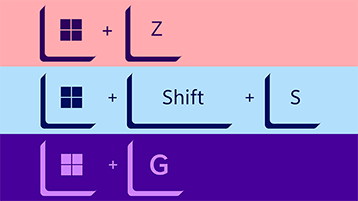
Click an option below, and it'll open to display a table of related shortcuts:
|
Press this key |
To do this |
|---|---|
|
Copilot key Copilot key |
Open or close Copilot in Windows. Open or close Windows search. |

|
Press this key |
To do this |
|---|---|
|
Ctrl + X |
Cut the selected item. |
|
Ctrl + C (or Ctrl + Insert) |
Copy the selected item. |
|
Ctrl + V (or Shift + Insert) |
Paste the selected item. |
|
Ctrl + Shift + V |
Paste as plain text |
|
Ctrl + Z |
Undo an action. |
|
Alt + Tab |
Switch between open apps. |
|
Alt + F4 |
Close the active item, or exit the active app. |
|
Windows logo key + L |
Lock your PC. |
|
Windows logo key + D |
Display and hide the desktop. |
|
F2 |
Rename the selected item. |
|
F3 |
Search for a file or folder in File Explorer. |
|
F4 |
Display the address bar list in File Explorer. |
|
F5 |
Refresh the active window. |
|
F6 |
Cycle through screen elements in a window or on the desktop. |
|
F10 |
Activate the Menu bar in the active app. |
|
Alt + A |
Set focus to the first icon in the Suggested actions menu. |
|
Alt + F8 |
Show your password on the sign-in screen. |
|
Alt + Esc |
Cycle through items in the order in which they were opened. |
|
Alt + underlined letter |
Perform the command for that letter. |
|
Alt + Enter |
Display properties for the selected item. |
|
Alt + Spacebar |
Open the shortcut menu for the active window. |
|
Alt + Left arrow |
Go back. |
|
Alt + Right arrow |
Go forward. |
|
Alt + Page Up |
Move up one screen. |
|
Alt + Page Down |
Move down one screen. |
|
Ctrl + F4 |
Close the active document (in apps that are full-screen and let you have multiple documents open at the same time). |
|
Ctrl + A |
Select all items in a document or window. |
|
Ctrl + D (or Delete) |
Delete the selected item and move it to the Recycle Bin. |
|
Ctrl + E |
Open Search (in most apps). |
|
Ctrl + R (or F5) |
Refresh the active window. |
|
Ctrl + Y |
Redo an action. |
|
Ctrl + Right arrow |
Move the cursor to the beginning of the next word. |
|
Ctrl + Left arrow |
Move the cursor to the beginning of the previous word. |
|
Ctrl + Down arrow |
Move the cursor to the beginning of the next paragraph. |
|
Ctrl + Up arrow |
Move the cursor to the beginning of the previous paragraph. |
|
Ctrl + Alt + Tab |
Use the arrow keys to switch between all open apps. |
|
Alt + Shift + arrow keys |
When a group or tile is in focus on the Start menu, move it in the direction specified. |
|
Ctrl + Shift + arrow keys |
When a tile is in focus on the Start menu, move it into another tile to create a folder. |
|
Ctrl + arrow keys |
Resize the Start menu when it's open. |
|
Ctrl + arrow key (to move to an item) + Spacebar |
Select multiple individual items in a window or on the desktop. |
|
Ctrl + Shift with an arrow key |
Select a block of text. |
|
Ctrl + Esc |
Open Start. |
|
Ctrl + Shift + Esc |
Open Task Manager. |
|
Ctrl + Shift |
Switch the keyboard layout when multiple keyboard layouts are available. |
|
Ctrl + Spacebar |
Turn the Chinese input method editor (IME) on or off. |
|
Shift + F10 |
Display the shortcut menu for the selected item. |
|
Shift with any arrow key |
Select more than one item in a window or on the desktop, or select text in a document. |
|
Shift + Delete |
Delete the selected item without moving it to the Recycle Bin first. |
|
Right arrow |
Open the next menu to the right, or open a submenu. |
|
Left arrow |
Open the next menu to the left, or close a submenu. |
|
Esc |
Stop or leave the current task. |
|
PrtScn |
Take a screenshot of your whole screen and copy it to the clipboard. Note: You can change this shortcut so it also opens screen snipping, which lets you edit your screenshot. Select Start > Settings > Accessibility > Keyboard , and set Use the Print Screen button to open screen snipping to On. |
|
Press this key |
To do this |
|---|---|
|
Windows logo key |
Open or close Start. |
|
Windows logo key + A |
Open Quick Settings. Updated in Windows 11. |
|
Windows logo key + B |
Set focus to the first icon in the Taskbar corner. |
|
Windows logo key + C |
Open Windows Copilot. Updated in Windows 11. |
|
Windows logo key + Shift + C |
Open the charms menu. |
|
Windows logo key + Ctrl + C |
Turn on color filters (enable this shortcut first in Color Filter settings). |
|
Windows logo key + D |
Display and hide the desktop. |
|
Windows logo key + E |
Open File Explorer. |
|
Windows logo key + F |
Open Feedback Hub and take a screenshot. |
|
Windows logo key + G |
Open Xbox Game Bar when a game is open. |
|
Windows logo key + Alt + B |
Turn HDR on or off. Note: Applies to the Xbox Game Bar app version 5.721.7292.0 or newer. To update your Xbox Game Bar, go to the Microsoft Store app and check for updates. |
|
Windows logo key + H |
Launch voice typing. Updated in Windows 11. |
|
Windows logo key + I |
Open Settings. |
|
Windows logo key + J |
Set focus to a Windows tip when one is available. |
|
Windows logo key + K |
Open Cast from Quick Settings. Updated in Windows 11. |
|
Windows logo key + Alt + K |
Toggle microphone mute in apps that support Call Mute. Available starting in Windows 11, version 22H2. |
|
Windows logo key + L |
Lock your PC or switch accounts. |
|
Windows logo key + M |
Minimize all windows. |
|
Windows logo key + Shift + M |
Restore minimized windows on the desktop. |
|
Windows logo key + N |
Open notification center and calendar. Updated in Windows 11. |
|
Windows logo key + O |
Lock device orientation. |
|
Windows logo key + P |
Choose a presentation display mode. |
|
Windows logo key + Ctrl + Q |
Open Quick Assist. |
|
Windows logo key + R |
Open the Run dialog box. |
|
Windows logo key + Alt + R |
Record video of game window in focus (using Xbox Game Bar). |
|
Windows logo key + S |
Open search. |
|
Windows logo key + Shift + S |
Take a screenshot of part of your screen. |
|
Windows logo key + T |
Cycle through apps on the taskbar. |
|
Windows logo key + U |
Open Accessibility Settings. |
|
Windows logo key + V |
Open the clipboard history. Note: Clipboard history isn't turned on by default. If you'd like to turn it on, use this keyboard shortcut and then select the prompt to turn on history. Or you can select Start > Settings > System > Clipboard , and set Clipboard history to On. |
|
Windows logo key + Shift + V |
Set focus to a notification. |
|
Windows logo key + W |
Open Widgets. Updated in Windows 11. |
|
Windows logo key + X |
Open the Quick Link menu. |
|
Windows logo key + Y |
Switch input between Windows Mixed Reality and your desktop. |
|
Windows logo key + Z |
Open the snap layouts. Updated in Windows 11. |
|
Windows logo key + period (.) or semicolon (;) |
Open emoji panel. |
|
Windows logo key + comma (,) |
Temporarily peek at the desktop. |
|
Windows logo key + Pause |
Opens Start > Settings > System > About . |
|
Windows logo key + Ctrl + F |
Search for PCs (if you're on a network). |
|
Windows logo key + number |
Open the desktop and start the app pinned to the taskbar in the position indicated by the number. If the app is already running, switch to that app. |
|
Windows logo key + Shift + number |
Open the desktop and start a new instance of the app pinned to the taskbar in the position indicated by the number. |
|
Windows logo key + Ctrl + number |
Open the desktop and switch to the last active window of the app pinned to the taskbar in the position indicated by the number. |
|
Windows logo key + Alt + number |
Open the desktop and open the Jump List for the app pinned to the taskbar in the position indicated by the number. |
|
Windows logo key + Ctrl + Shift + number |
Open the desktop and open a new instance of the app located at the given position on the taskbar as an administrator. |
|
Windows logo key + Tab |
Open Task view. |
|
Windows logo key + Up arrow |
Maximize the window. |
|
Windows logo key + Alt + Up arrow |
Snap window in focus to top half of screen. New with Windows 11. |
|
Windows logo key + Down arrow |
Remove current app from screen or minimize the desktop window. |
|
Windows logo key + Alt + Down arrow |
Snap window in focus to bottom half of screen. New with Windows 11. |
|
Windows logo key + Left arrow |
Maximize the app or desktop window to the left side of the screen. |
|
Windows logo key + Right arrow |
Maximize the app or desktop window to the right side of the screen. |
|
Windows logo key + Home |
Minimize all except the active desktop window (restores all windows on second stroke). |
|
Windows logo key + Shift + Up arrow |
Stretch the desktop window to the top and bottom of the screen. |
|
Windows logo key + Shift + Down arrow |
Restores the window if it is snapped or maximized. |
|
Windows logo key + Shift + Left arrow or Right arrow |
Move an app or window in the desktop from one monitor to another. |
|
Windows logo key + Shift + Spacebar |
Cycle backwards through language and keyboard layout. |
|
Windows logo key + Spacebar |
Switch input language and keyboard layout. |
|
Windows logo key + Ctrl + Spacebar |
Change to a previously selected input. |
|
Windows logo key + Ctrl + Enter |
Turn on Narrator. |
|
Windows logo key + Plus (+) |
Open Magnifier and zoom in. |
|
Windows logo key + Minus (-) |
Zoom out in Magnifier. |
|
Windows logo key + Esc |
Close Magnifier. |
|
Windows logo key + forward slash (/) |
Begin IME reconversion. |
|
Windows logo key + Ctrl + Shift + B |
Wake PC from blank or black screen. |
|
Windows logo key + PrtScn |
Save full screen screenshot to file. |
|
Windows logo key + Alt + PrtScn |
Save screenshot of game window in focus to file (using Xbox Game Bar). |
|
Windows logo key + Alt + Enter (on taskbar item focus) |
Open taskbar settings. |
|
Press this key |
To do this |
|---|---|
|
Ctrl + C (or Ctrl + Insert) |
Copy the selected text. |
|
Ctrl + V (or Shift + Insert) |
Paste the selected text. |
|
Ctrl + M |
Enter Mark mode. |
|
Alt + selection key |
Begin selection in block mode. |
|
Arrow keys |
Move the cursor in the direction specified. |
|
Page up |
Move the cursor by one page up. |
|
Page down |
Move the cursor by one page down. |
|
Ctrl + Home (Mark mode) |
Move the cursor to the beginning of the buffer. |
|
Ctrl + End (Mark mode) |
Move the cursor to the end of the buffer. |
|
Ctrl + Up arrow |
Move up one line in the output history. |
|
Ctrl + Down arrow |
Move down one line in the output history. |
|
Ctrl + Home (History navigation) |
If the command line is empty, move the viewport to the top of the buffer. Otherwise, delete all the characters to the left of the cursor in the command line. |
|
Ctrl + End (History navigation) |
If the command line is empty, move the viewport to the command line. Otherwise, delete all the characters to the right of the cursor in the command line. |
|
Press this key |
To do this |
|---|---|
|
F4 |
Display the items in the active list. |
|
Ctrl + Tab |
Move forward through tabs. |
|
Ctrl + Shift + Tab |
Move back through tabs. |
|
Ctrl + 1, 2, 3,... |
Move to that tab number. |
|
Tab |
Move forward through options. |
|
Shift + Tab |
Move back through options. |
|
Alt + underlined letter |
Perform the command (or select the option) that is used with that letter. |
|
Spacebar |
Select or clear the check box if the active option is a check box. |
|
Backspace |
Open a folder one level up if a folder is selected in the Save As or Open dialog box. |
|
Arrow keys |
Select a button if the active option is a group of option buttons. |
|
Press this key |
To do this |
|---|---|
|
Alt + D |
Select the address bar. |
|
Ctrl + E |
Select the search box. |
|
Ctrl + F |
Select the search box. |
|
Ctrl + N |
Open a new window. |
|
Ctrl + T |
Open a new tab and switch to it. |
|
Ctrl + W |
Closes the active tab. Closes the window if there's only one tab open. |
|
Ctrl + Tab |
Move to the next tab. |
|
Ctrl + Shift + Tab |
Move to the previous tab. |
|
Ctrl + Shift + Left Arrow |
Decrease column width. |
|
Ctrl + Shift + Right Arrow |
Increase column width. |
|
Ctrl + 1, 2, 3,... |
Move to that tab number. |
|
Ctrl + mouse scroll wheel |
Change the size and appearance of file and folder icons. |
|
Ctrl + Shift + E |
Display all folders above the selected folder. |
|
Ctrl + Shift + N |
Create a new folder. |
|
Num Lock + asterisk (*) |
Display all subfolders under the selected folder. |
|
Num Lock + plus (+) |
Display the contents of the selected folder. |
|
Num Lock + minus (-) |
Collapse the selected folder. |
|
Alt + P |
Display the preview panel. |
|
Alt + Enter |
Open the Properties dialog box for the selected item. |
|
Alt + Right arrow |
View the next folder. |
|
Alt + Up arrow |
View the folder that the folder was in. |
|
Alt + Left arrow |
View the previous folder. |
|
Backspace |
View the previous folder. |
|
Right arrow |
Display the current selection (if it's collapsed), or select the first subfolder. |
|
Left arrow |
Collapse the current selection (if it's expanded), or select the folder that the folder was in. |
|
End |
Display the bottom of the active window. |
|
Home |
Display the top of the active window. |
|
F11 |
Maximize or minimize the active window. |
|
Press this key |
To do this |
|---|---|
|
Windows logo key + Tab |
Open Task view. |
|
Windows logo key + Ctrl + D |
Add a virtual desktop. |
|
Windows logo key + Ctrl + Right arrow |
Switch between virtual desktops you’ve created on the right. |
|
Windows logo key + Ctrl + Left arrow |
Switch between virtual desktops you’ve created on the left. |
|
Windows logo key + Ctrl + F4 |
Close the virtual desktop you're using. |
|
Press this key |
To do this |
|---|---|
|
Shift + click a taskbar button |
Open an app or quickly open another instance of an app. |
|
Ctrl + Shift + click a taskbar button |
Open an app as an administrator. |
|
Shift + right-click a taskbar button |
Show the window menu for the app. |
|
Shift + right-click a grouped taskbar button |
Show the window menu for the group. |
|
Ctrl + click a grouped taskbar button |
Cycle through the windows of the group. |
|
Press this key |
To do this |
|---|---|
|
Windows logo key + I |
Open settings. |
|
Backspace |
Go back to the settings home page. |
|
Type on any page with search box |
Search settings. |
Additional keyboard shortcuts
Keyboard shortcuts are keys or combinations of keys that provide an alternative way to do something that you’d typically do with a mouse. Click an option below, and it'll open to display a table of related shortcuts:
|
Press this key |
To do this |
|---|---|
|
Ctrl + X |
Cut the selected item. |
|
Ctrl + C (or Ctrl + Insert) |
Copy the selected item. |
|
Ctrl + V (or Shift + Insert) |
Paste the selected item. |
|
Ctrl + Z |
Undo an action. |
|
Alt + Tab |
Switch between open apps. |
|
Alt + F4 |
Close the active item, or exit the active app. |
|
Windows logo key + L |
Lock your PC. |
|
Windows logo key + D |
Display and hide the desktop. |
|
F2 |
Rename the selected item. |
|
F3 |
Search for a file or folder in File Explorer. |
|
F4 |
Display the address bar list in File Explorer. |
|
F5 |
Refresh the active window. |
|
F6 |
Cycle through screen elements in a window or on the desktop. |
|
F10 |
Activate the Menu bar in the active app. |
|
Alt + F8 |
Show your password on the sign-in screen. |
|
Alt + Esc |
Cycle through items in the order in which they were opened. |
|
Alt + underlined letter |
Perform the command for that letter. |
|
Alt + Enter |
Display properties for the selected item. |
|
Alt + Spacebar |
Open the shortcut menu for the active window. |
|
Alt + Left arrow |
Go back. |
|
Alt + Right arrow |
Go forward. |
|
Alt + Page Up |
Move up one screen. |
|
Alt + Page Down |
Move down one screen. |
|
Ctrl + F4 |
Close the active document (in apps that are full-screen and let you have multiple documents open at the same time). |
|
Ctrl + A |
Select all items in a document or window. |
|
Ctrl + D (or Delete) |
Delete the selected item and move it to the Recycle Bin. |
|
Ctrl + R (or F5) |
Refresh the active window. |
|
Ctrl + Y |
Redo an action. |
|
Ctrl + Right arrow |
Move the cursor to the beginning of the next word. |
|
Ctrl + Left arrow |
Move the cursor to the beginning of the previous word. |
|
Ctrl + Down arrow |
Move the cursor to the beginning of the next paragraph. |
|
Ctrl + Up arrow |
Move the cursor to the beginning of the previous paragraph. |
|
Ctrl + Alt + Tab |
Use the arrow keys to switch between all open apps. |
|
Alt + Shift + arrow keys |
When a group or tile is in focus on the Start menu, move it in the direction specified. |
|
Ctrl + Shift + arrow keys |
When a tile is in focus on the Start menu, move it into another tile to create a folder. |
|
Ctrl + arrow keys |
Resize the Start menu when it's open. |
|
Ctrl + arrow key (to move to an item) + Spacebar |
Select multiple individual items in a window or on the desktop. |
|
Ctrl + Shift with an arrow key |
Select a block of text. |
|
Ctrl + Esc |
Open Start. |
|
Ctrl + Shift + Esc |
Open Task Manager. |
|
Ctrl + Shift |
Switch the keyboard layout when multiple keyboard layouts are available. |
|
Ctrl + Spacebar |
Turn the Chinese input method editor (IME) on or off. |
|
Shift + F10 |
Display the shortcut menu for the selected item. |
|
Shift with any arrow key |
Select more than one item in a window or on the desktop, or select text in a document. |
|
Shift + Delete |
Delete the selected item without moving it to the Recycle Bin first. |
|
Right arrow |
Open the next menu to the right, or open a submenu. |
|
Left arrow |
Open the next menu to the left, or close a submenu. |
|
Esc |
Stop or leave the current task. |
|
PrtScn |
Take a screenshot of your whole screen and copy it to the clipboard. Note: You can change this shortcut so it also opens screen snipping, which lets you edit your screenshot. Select Start > Settings > Ease of Access > Keyboard, and turn on the toggle under Print Screen shortcut. |
|
Press this key |
To do this |
|---|---|
|
Windows logo key |
Open or close Start. |
|
Windows logo key + A |
Open Action center. |
|
Windows logo key + B |
Set focus in the notification area. |
|
Windows logo key + C |
Open Cortana in listening mode.
|
|
Windows logo key + Shift + C |
Open the charms menu. |
|
Windows logo key + D |
Display and hide the desktop. |
|
Windows logo key + Alt + D |
Display and hide the date and time on the desktop. |
|
Windows logo key + E |
Open File Explorer. |
|
Windows logo key + F |
Open Feedback Hub and take a screenshot. |
|
Windows logo key + G |
Open Game bar when a game is open. |
|
Windows logo key + Alt + B |
Turn HDR on or off. Note: Applies to the Xbox Game Bar app version 5.721.7292.0 or newer. To update your Xbox Game Bar, go to the Microsoft Store app and check for updates. |
|
Windows logo key + H |
Start dictation. |
|
Windows logo key + I |
Open Settings. |
|
Windows logo key + J |
Set focus to a Windows tip when one is available. |
|
Windows logo key + K |
Open the Connect quick action. |
|
Windows logo key + L |
Lock your PC or switch accounts. |
|
Windows logo key + M |
Minimize all windows. |
|
Windows logo key + O |
Lock device orientation. |
|
Windows logo key + P |
Choose a presentation display mode. |
|
Windows logo key + Ctrl + Q |
Open Quick Assist. |
|
Windows logo key + R |
Open the Run dialog box. |
|
Windows logo key + S |
Open search. |
|
Windows logo key + Shift + S |
Take a screenshot of part of your screen. |
|
Windows logo key + T |
Cycle through apps on the taskbar. |
|
Windows logo key + U |
Open Ease of Access Center. |
|
Windows logo key + V |
Open the clipboard. Note
|
|
Windows logo key + Shift + V |
Cycle through notifications. |
|
Windows logo key + X |
Open the Quick Link menu. |
|
Windows logo key + Y |
Switch input between Windows Mixed Reality and your desktop. |
|
Windows logo key + Z |
Show the commands available in an app in full-screen mode. |
|
Windows logo key + period (.) or semicolon (;) |
Open emoji panel. |
|
Windows logo key + comma (,) |
Temporarily peek at the desktop. |
|
Windows logo key + Pause |
Display the System Properties dialog box. |
|
Windows logo key + Ctrl + F |
Search for PCs (if you're on a network). |
|
Windows logo key + Shift + M |
Restore minimized windows on the desktop. |
|
Windows logo key + number |
Open the desktop and start the app pinned to the taskbar in the position indicated by the number. If the app is already running, switch to that app. |
|
Windows logo key + Shift + number |
Open the desktop and start a new instance of the app pinned to the taskbar in the position indicated by the number. |
|
Windows logo key + Ctrl + number |
Open the desktop and switch to the last active window of the app pinned to the taskbar in the position indicated by the number. |
|
Windows logo key + Alt + number |
Open the desktop and open the Jump List for the app pinned to the taskbar in the position indicated by the number. |
|
Windows logo key + Ctrl + Shift + number |
Open the desktop and open a new instance of the app located at the given position on the taskbar as an administrator. |
|
Windows logo key + Tab |
Open Task view. |
|
Windows logo key + Up arrow |
Maximize the window. |
|
Windows logo key + Down arrow |
Remove current app from screen or minimize the desktop window. |
|
Windows logo key + Left arrow |
Maximize the app or desktop window to the left side of the screen. |
|
Windows logo key + Right arrow |
Maximize the app or desktop window to the right side of the screen. |
|
Windows logo key + Home |
Minimize all except the active desktop window (restores all windows on second stroke). |
|
Windows logo key + Shift + Up arrow |
Stretch the desktop window to the top and bottom of the screen. |
|
Windows logo key + Shift + Down arrow |
Restore/minimize active desktop windows vertically, maintaining width. |
|
Windows logo key + Shift + Left arrow or Right arrow |
Move an app or window in the desktop from one monitor to another. |
|
Windows logo key + Spacebar |
Switch input language and keyboard layout. |
|
Windows logo key + Ctrl + Spacebar |
Change to a previously selected input. |
|
Windows logo key + Ctrl + Enter |
Turn on Narrator. |
|
Windows logo key + Plus (+) |
Open Magnifier. |
|
Windows logo key + forward slash (/) |
Begin IME reconversion. |
|
Windows logo key + Ctrl + V |
Open shoulder taps. |
|
Windows logo key + Ctrl + Shift + B |
Wake PC from blank or black screen. |
|
Windows logo key + Alt + Enter (on taskbar item focus) |
Open taskbar settings. |
|
Press this key |
To do this |
|---|---|
|
Ctrl + C (or Ctrl + Insert) |
Copy the selected text. |
|
Ctrl + V (or Shift + Insert) |
Paste the selected text. |
|
Ctrl + M |
Enter Mark mode. |
|
Alt + selection key |
Begin selection in block mode. |
|
Arrow keys |
Move the cursor in the direction specified. |
|
Page up |
Move the cursor by one page up. |
|
Page down |
Move the cursor by one page down. |
|
Ctrl + Home (Mark mode) |
Move the cursor to the beginning of the buffer. |
|
Ctrl + End (Mark mode) |
Move the cursor to the end of the buffer. |
|
Ctrl + Up arrow |
Move up one line in the output history. |
|
Ctrl + Down arrow |
Move down one line in the output history. |
|
Ctrl + Home (History navigation) |
If the command line is empty, move the viewport to the top of the buffer. Otherwise, delete all the characters to the left of the cursor in the command line. |
|
Ctrl + End (History navigation) |
If the command line is empty, move the viewport to the command line. Otherwise, delete all the characters to the right of the cursor in the command line. |
|
Press this key |
To do this |
|---|---|
|
F4 |
Display the items in the active list. |
|
Ctrl + Tab |
Move forward through tabs. |
|
Ctrl + Shift + Tab |
Move back through tabs. |
|
Ctrl + number (number 1–9) |
Move to nth tab. |
|
Tab |
Move forward through options. |
|
Shift + Tab |
Move back through options. |
|
Alt + underlined letter |
Perform the command (or select the option) that is used with that letter. |
|
Spacebar |
Select or clear the check box if the active option is a check box. |
|
Backspace |
Open a folder one level up if a folder is selected in the Save As or Open dialog box. |
|
Arrow keys |
Select a button if the active option is a group of option buttons. |
|
Press this key |
To do this |
|---|---|
|
Alt + D |
Select the address bar. |
|
Ctrl + E |
Select the search box. |
|
Ctrl + F |
Select the search box. |
|
Ctrl + N |
Open a new window. |
|
Ctrl + W |
Close the active window. |
|
Ctrl + mouse scroll wheel |
Change the size and appearance of file and folder icons. |
|
Ctrl + Shift + E |
Display all folders above the selected folder. |
|
Ctrl + Shift + N |
Create a new folder. |
|
Num Lock + asterisk (*) |
Display all subfolders under the selected folder. |
|
Num Lock + plus (+) |
Display the contents of the selected folder. |
|
Num Lock + minus (-) |
Collapse the selected folder. |
|
Alt + P |
Display the preview panel. |
|
Alt + Enter |
Open the Properties dialog box for the selected item. |
|
Alt + Right arrow |
View the next folder. |
|
Alt + Up arrow |
View the folder that the folder was in. |
|
Alt + Left arrow |
View the previous folder. |
|
Backspace |
View the previous folder. |
|
Right arrow |
Display the current selection (if it's collapsed), or select the first subfolder. |
|
Left arrow |
Collapse the current selection (if it's expanded), or select the folder that the folder was in. |
|
End |
Display the bottom of the active window. |
|
Home |
Display the top of the active window. |
|
F11 |
Maximize or minimize the active window. |
|
Press this key |
To do this |
|---|---|
|
Windows logo key + Tab |
Open Task view. |
|
Windows logo key + Ctrl + D |
Add a virtual desktop. |
|
Windows logo key + Ctrl + Right arrow |
Switch between virtual desktops you’ve created on the right. |
|
Windows logo key + Ctrl + Left arrow |
Switch between virtual desktops you’ve created on the left. |
|
Windows logo key + Ctrl + F4 |
Close the virtual desktop you're using. |
|
Press this key |
To do this |
|---|---|
|
Shift + click a taskbar button |
Open an app or quickly open another instance of an app. |
|
Ctrl + Shift + click a taskbar button |
Open an app as an administrator. |
|
Shift + right-click a taskbar button |
Show the window menu for the app. |
|
Shift + right-click a grouped taskbar button |
Show the window menu for the group. |
|
Ctrl + click a grouped taskbar button |
Cycle through the windows of the group. |
|
Press this key |
To do this |
|---|---|
|
Windows logo key + I |
Open settings. |
|
Backspace |
Go back to the settings home page. |
|
Type on any page with search box |
Search settings. |









